
 Appediet
 vs MyFitnessPal: Which Logging Style Fits You?
Both apps give you more than one way to record food. Start with the meals you log most often, then choose the workflow that gets you to a useful saved entry with the least rework.
Start with your routine: use Appediet’s photo flow for a visible meal, voice input when the foods are easy to describe, barcode scanning for packaged foods, and food search when you already know the item. MyFitnessPal adds a diary built around search, saved foods, meals, and recipes, while its Meal Scan, Voice Logging, and Barcode Scanner are Premium tools. The right fit is the one that makes your most common meals easier to finish and reuse.
Before switching, list five meals you log repeatedly. Include a mixed plate, a packaged food, a repeat breakfast, a restaurant meal, and a dish with oil, sauce, or another hidden ingredient. Log the same five meals in both apps and compare the corrections, serving units, and reuse options that remain after the first result.
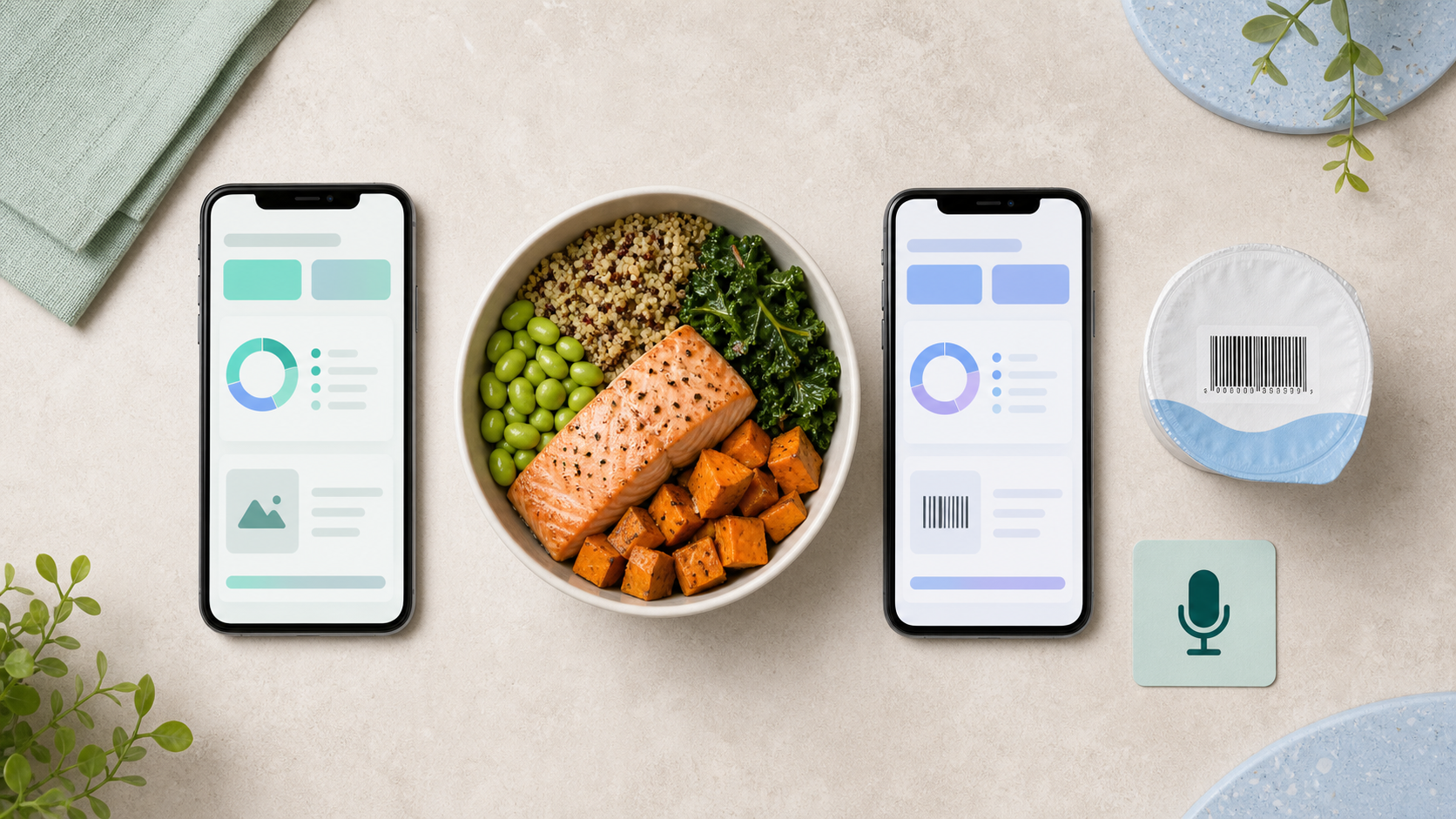
Use a camera for visible plates, a barcode for the right packaged item, and voice for foods you can describe clearly.
A quick first result does not save time if portions, ingredients, or the database match need extensive repair.
MyFitnessPal places Meal Scan, Voice Logging, and Barcode Scanner in Premium. Check the plan screen you would actually use before switching.
Start with the meals you log every week
Appediet supports photo scanning, barcode scanning, food-name search, and Quick Log. Match each option to the job in front of you: a mixed plate, a packaged food, an item you can name, or a day when you only know the total.
MyFitnessPal combines manual search with saved foods, meals, and recipes. Its Meal Scan, Voice Logging, and Barcode Scanner are Premium features. If you already have a long diary history, reusing your existing entries may matter more than adding another input method.
Use the same five meals in both apps. Correct each result as you normally would, then compare total time, missing foods, serving-unit clarity, and whether the finished entry is easy to reuse.
Download Appediet to see which workflow fits you.
Appediet vs MyFitnessPal at a glance
| Logging need | Appediet | MyFitnessPal | What to check |
|---|---|---|---|
| Visible meal photo | Photo scanning suggests foods, calories, and nutrition details from a meal image. | Meal Scan suggests foods from a smartphone image and is a Premium feature. | Foods found, portions, hidden ingredients, and edits. |
| Voice | Voice input supports hands-free tracking, alongside photo, barcode, and food search. | Voice Logging is available to Premium users on supported iOS and Android versions with English selected. | Language, portion phrases, internet access, and supported entry types. |
| Barcode | Barcode scanning starts a packaged-food entry from the product code. | Barcode Scanner starts a packaged-food entry and is a Premium feature. | Correct product, package size, serving unit, and regional database match. |
| Manual search | Food-name search lets you look up an item and review its nutrition information. | Food search works alongside recent foods, saved meals, and recipes. | Duplicate results, serving units, and ease of reuse. |
| Quick total | Quick Log records a full-day calorie total without building an itemized meal. | Quick Add records known calories; Premium users can also add macro values. | Whether you need food detail or only an approximate total. |
Feature presence does not reveal friction. The same method can feel fast for one meal and slow for another. A barcode is efficient only when the product exists and the serving is correct. A photo is efficient only when the visible foods are recognized and the user can fix what is hidden.
Photo logging: useful for visible plates, limited by hidden ingredients
Photo logging can skip a long database search. It is most promising for separated foods with visible boundaries: grilled salmon, rice, broccoli, eggs, fruit, toast, or a simple salad. A camera has less evidence for oil absorbed during cooking, dressing mixed into greens, cheese under a topping, sugar in a drink, or the recipe inside a restaurant dish.
Appediet places photo scanning at the center of its logging flow and lets you review the resulting calories and macros. MyFitnessPal's Meal Scan also uses a photo to suggest foods from its database; it is a Premium feature on supported mobile versions with English selected.
What makes the photo workflow fast?
- The entire plate is in frame and well lit.
- Detected foods are separated into editable items.
- Serving units are understandable.
- Changing one item does not restart the log.
- Adding oil, sauce, or a missing ingredient takes only a few taps.
Do not judge photo logging by the first screen alone. Judge the time from opening the tool to saving a result you are comfortable using.
Voice logging: useful when the meal is easy to say
Voice can be efficient for a meal with known names and quantities: “one cup of plain Greek yogurt, half a banana, and one tablespoon of peanut butter.” It may be less useful when you do not know the ingredients, the room is noisy, or the food name is ambiguous.
If speaking is your preferred input, Appediet now supports voice input for hands-free tracking. MyFitnessPal offers Voice Logging to Premium users on supported iOS and Android versions with English selected. In either app, say the food and amount clearly, then review the result before saving.
Say the meal, food, quantity, and preparation when known: “For lunch, grilled chicken breast, one cup cooked rice, cucumber salad, and two teaspoons dressing.” Review every item before saving.
Barcode logging: efficient only when the match is right
A barcode can connect directly to a branded item without asking the camera to infer the food. It is a strong starting point for yogurt cups, cereal boxes, frozen meals, protein bars, and bottled drinks. It does not measure how much you actually ate.
Both apps support barcode scanning for packaged foods. MyFitnessPal places Barcode Scanner in Premium, while Appediet includes barcode scanning among its food-entry options. In either app, the useful result is the exact product and serving—not merely a successful scan.
Four barcode checks
- Confirm brand and exact flavor.
- Compare package weight with the result.
- Check serving size and servings per container.
- Verify whether you ate the whole package, a serving, or a measured amount.
If any of those fail, manual search or a custom food may be faster than repairing the wrong barcode match.
Search, quick entries, and repeat meals
Manual search is slower for a new mixed meal but often faster for familiar foods because history and saved items remove repeated work. MyFitnessPal's diary centers on recent foods, meals, recipes, and food search. Appediet combines food-name search with photo and barcode entry.
Quick entries deliberately trade detail for speed. Appediet's App Store version history describes Quick Log for recording full-day calorie intake. MyFitnessPal's Quick Add records known calories without selecting individual foods; current support documentation says Premium users can also include macro values.
Use a quick total when an approximate record supports continuity and the missing food detail will not undermine the decision you are trying to make. Use item-level logging when you need protein, fiber, sodium, micronutrients, allergy information, or recipe-level learning.
Which app fits which workflow?
Appediet may fit you if…
- You want photo-first food recognition as a central experience.
- You prefer choosing among photo, barcode, and food search according to the meal.
- You want a direct path from a meal image to calories, macros, and editable items.
- You are willing to confirm portions and hidden ingredients before saving.
MyFitnessPal may fit you if…
- You value an established diary, saved foods, recipes, community, and many device integrations.
- You want custom calorie and macro goals, meal planning, and deeper progress tools in one ecosystem.
- You are comfortable with Meal Scan, Voice Logging, and Barcode Scanner being Premium features.
- Your existing history and saved meals make switching more work than the new interface would save.
Staying where your repeat foods already live can be the practical choice. Switching makes sense when the new workflow saves enough repeated effort to justify rebuilding favorites, recipes, goals, and integrations.
Run your own five-meal speed test
Set aside ten minutes and use the same phone and meals in both apps. Start each test from the same point and include every correction before you stop the timer.
- Separated plate: protein, grain, and vegetables.
- Mixed meal: soup, curry, pasta, or casserole.
- Packaged item: scan the exact barcode.
- Repeat breakfast: use history or a saved meal.
- Known total: test quick entry when detail is unnecessary.
Record total time, corrections, missing foods, serving-unit clarity, and whether the final entry is reusable. Do not reward a faster result that you know is wrong.
Bottom line
Choose Appediet when switching between photo, voice, barcode, and food search matches the meals you log. Choose MyFitnessPal when saved history, recipes, voice logging, or its broader diary workflow are central to your routine. The clearest signal is how much correction and repeat work remains after a week of normal use.
If you are evaluating Appediet, test it with your hardest real meal—not a perfect demo plate. Confirm the scan, edit the portion, add the sauce, and decide whether the complete workflow saves effort.
FAQ
Is Appediet faster than MyFitnessPal for logging food?
Test both apps with the same five meals and include correction time. Photo is useful for visible plates, barcode for packaged foods, voice for foods that are easy to describe, and saved or quick entries for repeat meals. The faster fit is the one that leaves fewer corrections in your routine.
Does MyFitnessPal include photo, voice, and barcode logging?
Yes. MyFitnessPal lists Meal Scan, Voice Logging, and Barcode Scanner as Premium food-logging features; Meal Scan and Voice Logging require supported mobile app versions and English.
Does Appediet support photo, voice, barcode, and food-search logging?
Yes. Appediet supports photo scanning, voice input, barcode scanning, and food-name search. Use the method that best matches the meal, then review the food and serving before saving.
Which logging method is most accurate?
Use barcode for the correct packaged product, photo for visible meals, and search for items you can name clearly. Whichever method you use, check servings, preparation, oil, sauces, and hidden ingredients before saving.
Test Appediet with one real meal
Use the same plate you normally struggle to log. Try a photo first, review the foods and portions, and compare the complete correction workflow with your current tracker.
Download Appediet