
 Appediet
How to Log Food with Less Effort: Pick the Right Method
The fastest method changes with the food. Match the input to what you know, then spend your effort checking the details most likely to change the result.
Direct answer: scan the barcode for the correct packaged product; take a photo when the whole plated meal is visible; use voice when you can describe foods and amounts; use search when you want more control; reuse a saved entry for repeat meals; and choose Quick Log when an approximate total is more useful than abandoning the diary. Whatever method you start with, check portions, cooking fat, sauces, and hidden ingredients before saving.
This guide is for people who want a faster, more sustainable food diary—not perfect measurement. It explains how to choose an Appediet logging method and review the result before saving. Availability can vary by platform, version, region, and plan.
Start with the barcode, then verify the exact product, package size, serving, and amount eaten.
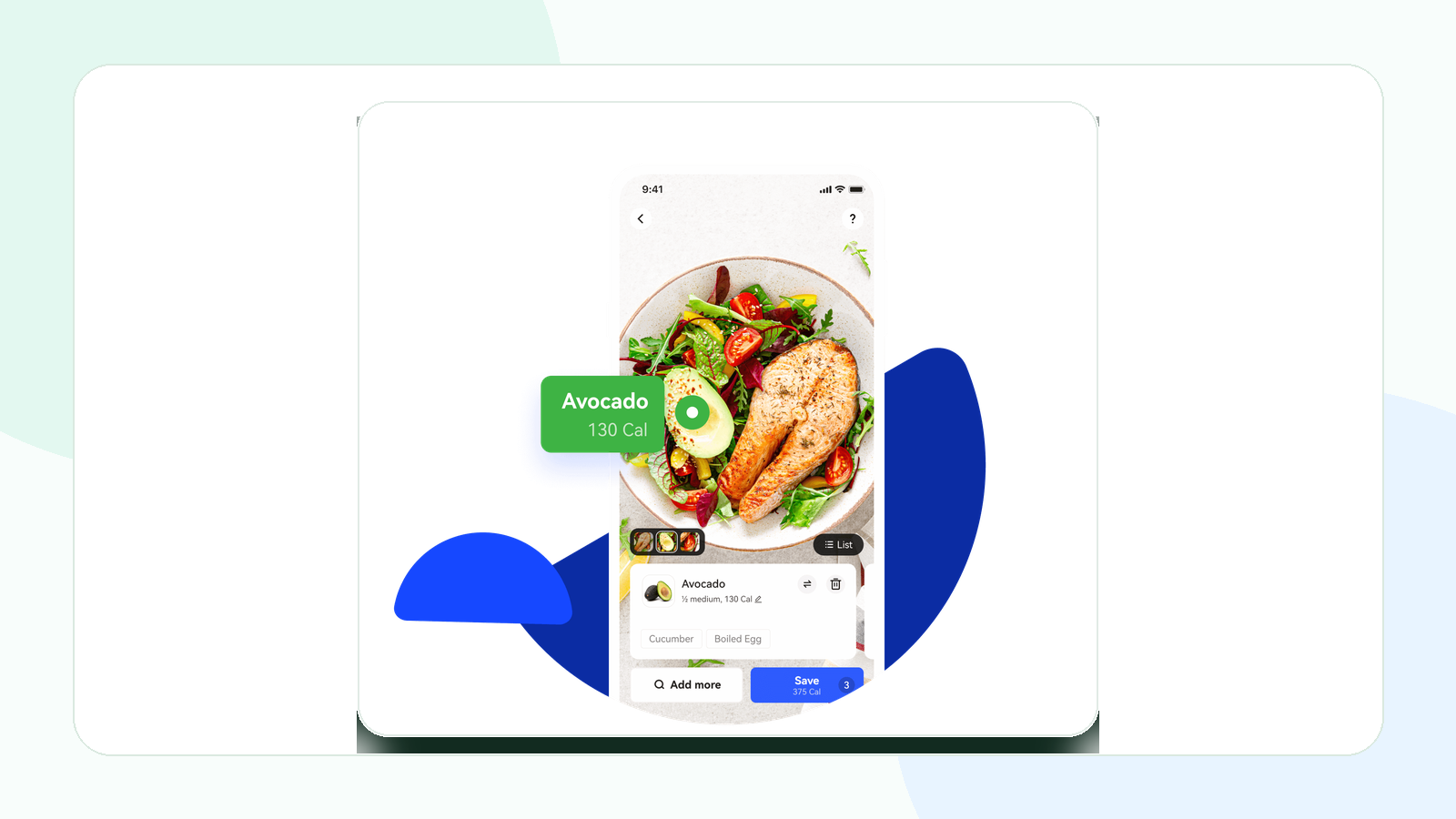
Start with a photo, then check every detected item and add anything the camera cannot see.
Use voice when you can clearly describe foods and amounts. Use search or a saved meal when you want more control.
Choose by evidence, not by habit
Every input method starts with different evidence. A barcode supplies a product identifier. A photo supplies visual clues. Voice input supplies a spoken description. Food search supplies a database query. Quick Log supplies a total you already know or are willing to estimate.
| If you are logging… | Start with… | Why | Check before saving |
|---|---|---|---|
| Yogurt, cereal, frozen meal, bottled drink | Barcode | The package can point to a branded product. | Flavor, package weight, serving size, amount eaten. |
| Plate with visible separate foods | Photo | The camera can suggest several visible items at once. | Portions, oil, sauce, toppings, preparation. |
| Food you can name precisely | Search | A specific name can narrow database results. | Identity, preparation, serving unit, and amount. |
| Repeat breakfast or recipe | Saved entry | Reuse avoids rebuilding known items. | Whether today's portion or recipe changed. |
| Restaurant meal with a known estimate | Quick Log | An approximate total may preserve continuity. | Whether you need macros or item-level detail later. |
Measure from opening the tool to saving a reviewable entry. A fast scan followed by many corrections may take longer than search or a saved meal.
Download Appediet to try it with your next meal.
Use a photo for visible plated meals
Use Appediet’s photo workflow to identify visible foods and start a calorie and macro entry quickly. Review the result, then add sauces, oils, drinks, or hidden ingredients the camera could not see.
Take a photo that gives the model useful clues
- Photograph the meal before eating.
- Use even light and avoid deep shadows.
- Keep the entire plate or bowl inside the frame.
- Use an angle that shows all components rather than hiding food behind the rim.
- If important ingredients are covered, plan to add them manually.
Photo logging works best when…
- Foods are visually distinct.
- The portion is fully visible.
- The meal has few hidden ingredients.
- You are willing to correct the result.
Switch methods when…
A smoothie, soup, curry, casserole, sandwich filling, or restaurant sauce may not reveal enough visual evidence. If you know the recipe, food search or a saved entry can reduce repeated work. If you know only the total, Quick Log may be more honest than an overly specific photo estimate.
Use a barcode for the correct packaged product
Barcode scanning removes the need to type a long brand and flavor name. It can be the fastest starting point when the database match is correct. A barcode identifies the product; it does not identify the portion you consumed.
Review these four fields
- Product: exact brand, flavor, and formulation.
- Package: total weight or volume.
- Serving: label serving size and servings per package.
- Amount: the fraction or number of servings you actually ate.
If the barcode returns the wrong region or an old formulation, compare the nutrition label and choose manual search or create a custom food. Do not force an incorrect match because it appeared quickly.
Use voice when you can describe the meal
Use Appediet’s voice input when you can clearly describe the foods, preparation, and amounts. Review the transcription, food matches, and portions before saving. Availability can vary by version and device.
Use a structured phrase
Include meal, food, amount, and preparation: “For breakfast, two scrambled eggs, one slice whole-wheat toast, and one teaspoon butter.” A structured phrase gives the system more information than “eggs and toast.”
Good voice candidates
- Simple breakfasts and snacks.
- Several foods with known household measures.
- A meal you cannot type while preparing food.
- Adding a missed item immediately after the meal.
When voice may slow you down
- Noise, accents, or uncommon food names cause recognition errors.
- You do not know the recipe or quantity.
- The recognized serving unit does not match how you measured the food.
- You need to create a detailed custom food or recipe.
Always read the transcription and nutrition result. A correctly transcribed food can still have the wrong database item or serving.
Use Quick Log when the total is enough
Appediet's App Store version history describes Quick Log as a way to record full-day calorie intake quickly. This can support continuity when detailed logging is impossible, when you have a reasonable external estimate, or when the day's purpose is to preserve a broad calorie record.
Quick Log trades information for speed. It may not tell you which meal contributed protein, fiber, sodium, or other nutrients. It also creates less reusable information than a saved meal.
| Quick Log may be enough when… | Use item-level logging when… |
|---|---|
| You know only an approximate total and would otherwise skip the day. | You need calories and macros by food or meal. |
| You are preserving a high-level pattern. | You are investigating hunger, protein, fiber, sodium, or a recipe. |
| The meal is a one-off and not worth rebuilding. | The meal repeats and should become a saved entry. |
| Precision would create disproportionate effort. | A clinician-directed plan requires specific information. |
A quick estimate is still an estimate. Avoid presenting it as measured intake, and do not use an approximate calorie total to make medical decisions.
Use search, custom foods, and saved meals for control
Search is the flexible fallback. It works when the camera cannot see an ingredient, the barcode is wrong, or an earlier result returns the wrong food. Search can also be the fastest method for familiar items already near the top of your history.
Create a custom food when you repeatedly use a product that is missing or incorrect. Build a recipe or saved meal when the same group of ingredients returns. The first entry takes longer, but future logs can become faster and more consistent.
A quick review before saving
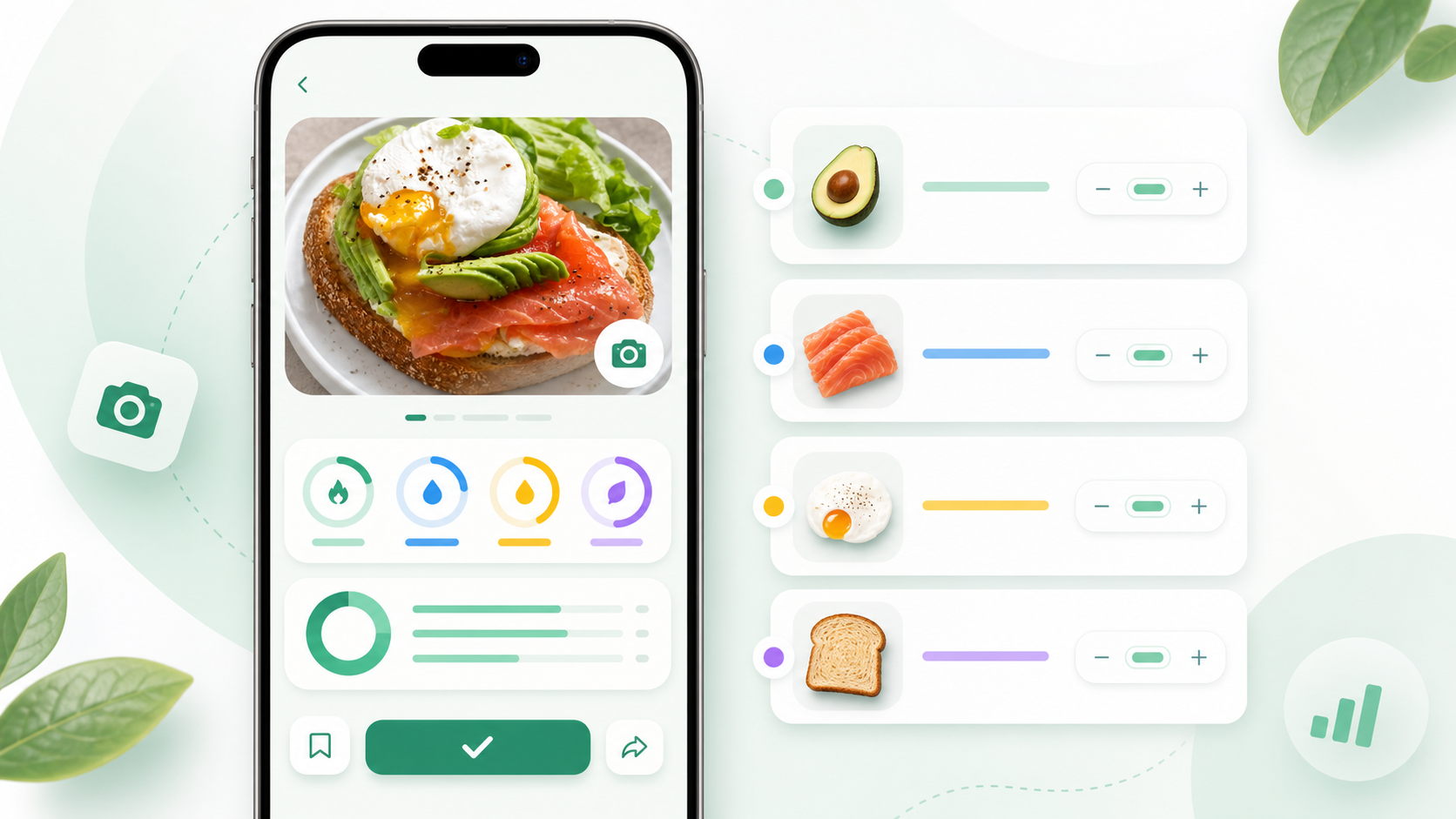
Before saving any automated result, look for the details most likely to change calories or macros:
- Wrong food: grilled chicken versus breaded chicken, plain yogurt versus sweetened yogurt.
- Wrong portion: dry versus cooked weight, half package versus full package.
- Cooking fat: oil, butter, frying, or a creamy preparation.
- Sauce and toppings: dressing, cheese, nuts, syrup, mayonnaise, or sugar.
- Missing drinks: milk, juice, alcohol, sweetened coffee, or sports drinks.
You do not need to perfect every low-calorie garnish. Spend attention where uncertainty and energy density are both high.
Build a logging routine that gets faster over time
Week 1: learn which method fits each meal
Try photo, voice, barcode, and search across your normal week. Notice which meals require corrections and which methods feel calm enough to repeat.
Week 2: save repeat meals
Turn your common breakfast, coffee, lunch, and snacks into reusable entries. Correct the base recipe once, then adjust only what changes.
Week 3: define your minimum useful log
Decide what you will do on a difficult day. That may be a photo plus one correction, food search, or Quick Log. A consistent approximate record can be more useful than a perfect system used twice.
Week 4: review the pattern, not the single day
Look for repeated meals, common omissions, and moments when the workflow breaks. Improve one recurring friction point rather than demanding more detail everywhere.
Bottom line
The fastest useful food log is the one that matches the evidence available. Barcodes are strong for exact packages, photos for visible plates, voice for foods and amounts you can describe, search for controlled selection, saved entries for repetition, and Quick Log for approximate continuity. Review and editing remain essential because no automatic input can know every ingredient or portion.
Appediet brings these methods into one nutrition-tracking workflow. Start with the easiest input, review the result, and correct the details that matter most.
FAQ
What is the fastest way to log a meal?
The fastest useful method depends on the meal. Use a barcode for the correct packaged product, a photo for a visible plate, voice for foods and amounts you can describe, search for controlled selection, a saved entry for repeats, and Quick Log when you only know or need an approximate total.
When should I use a photo instead of a barcode?
Use a photo for plated or unpackaged meals and a barcode for a packaged product with a matching code. A photo cannot see hidden oil or exact recipe amounts, while a barcode cannot tell how much of the package you ate.
Can food search record a mixed meal?
Food search can work when you can name the foods, quantities, and preparation. It is less useful when ingredients are unknown or the dish is ambiguous, so review each selected item and serving before saving.
Is Quick Log accurate enough?
Quick Log can preserve an approximate calorie total when item-level detail is unavailable. It is not a substitute for detailed entries when you need macros, fiber, sodium, micronutrients, allergens, or a reusable meal record.
Choose the easiest honest input
Try Appediet with a real meal: take a photo, describe it by voice, scan a package, search for a food, or make a quick entry—then review the portion and hidden ingredients before saving.
Download Appediet